Selflist AI for eBay sellers · dropshipping and own stock
eBay dropshipping software with AI listingsLists itself.Keeps you safe.
Add a product from AliExpress or Alibaba.com in one click. AI writes the listing from the supplier's facts, every listing is checked before eBay sees it, and price and stock follow your supplier. A new eBay account lists slowly on purpose, within its selling limit.
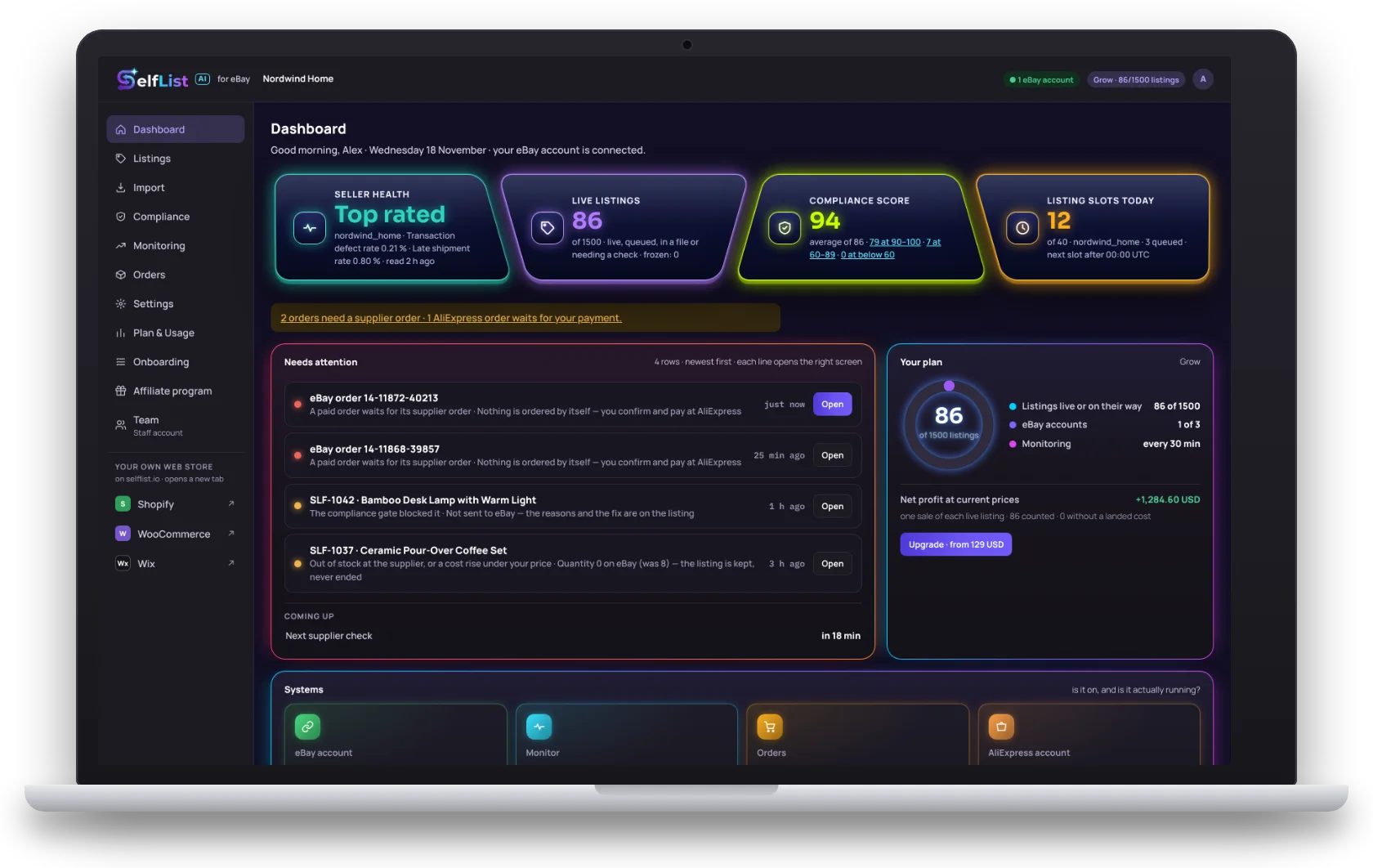
Every screen below is the Selflist console as it works today, shown with sample data.
Example screen with sample data
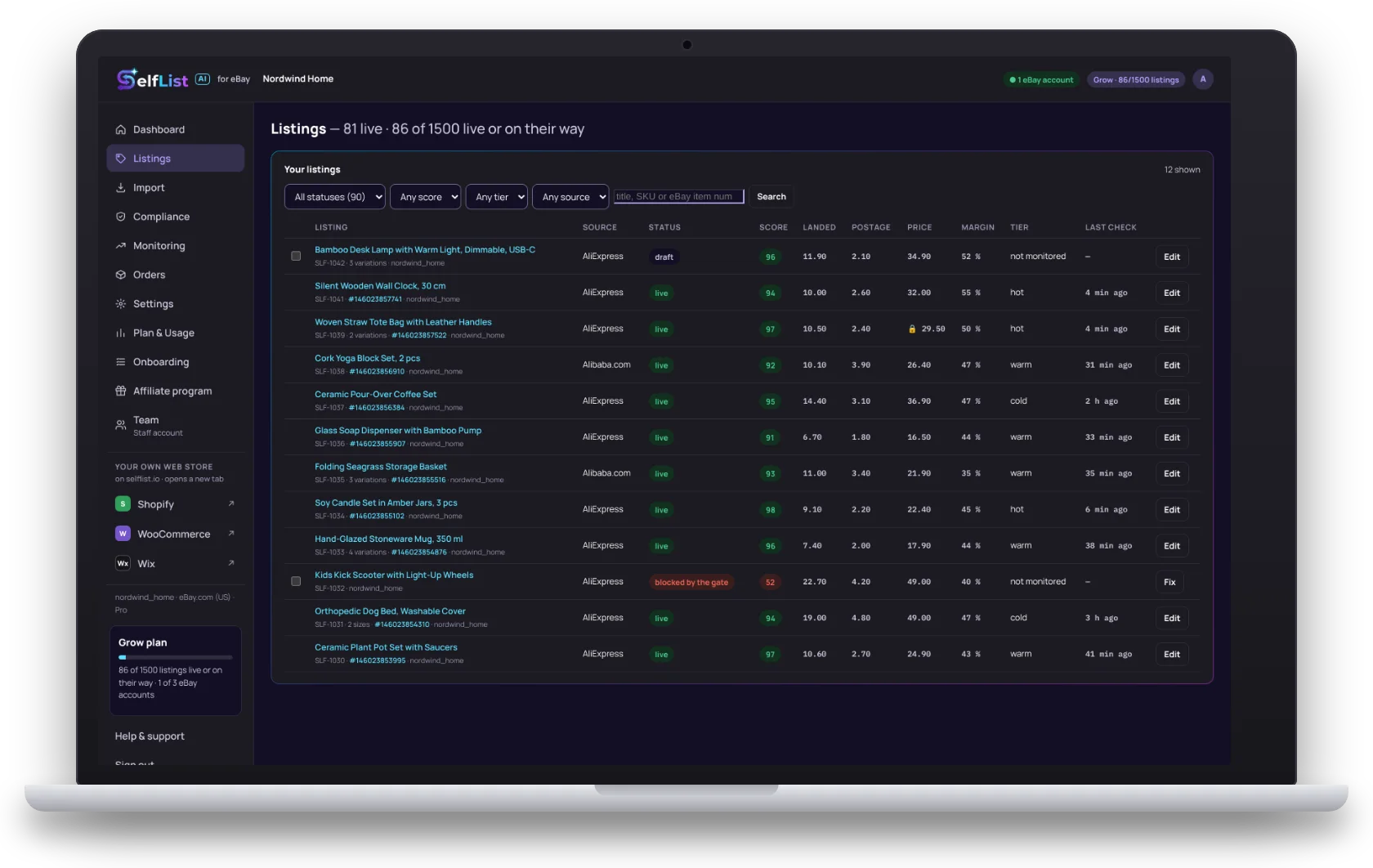
Listings
Every listing with its score and its state
Drafts, queued, live and the ones that need you, in one list. Each row shows its supplier, its compliance score, its price and margin, and when it was last checked.
Drafts and variations never count against your plan
A score of 90 or more publishes; under 60 is blocked
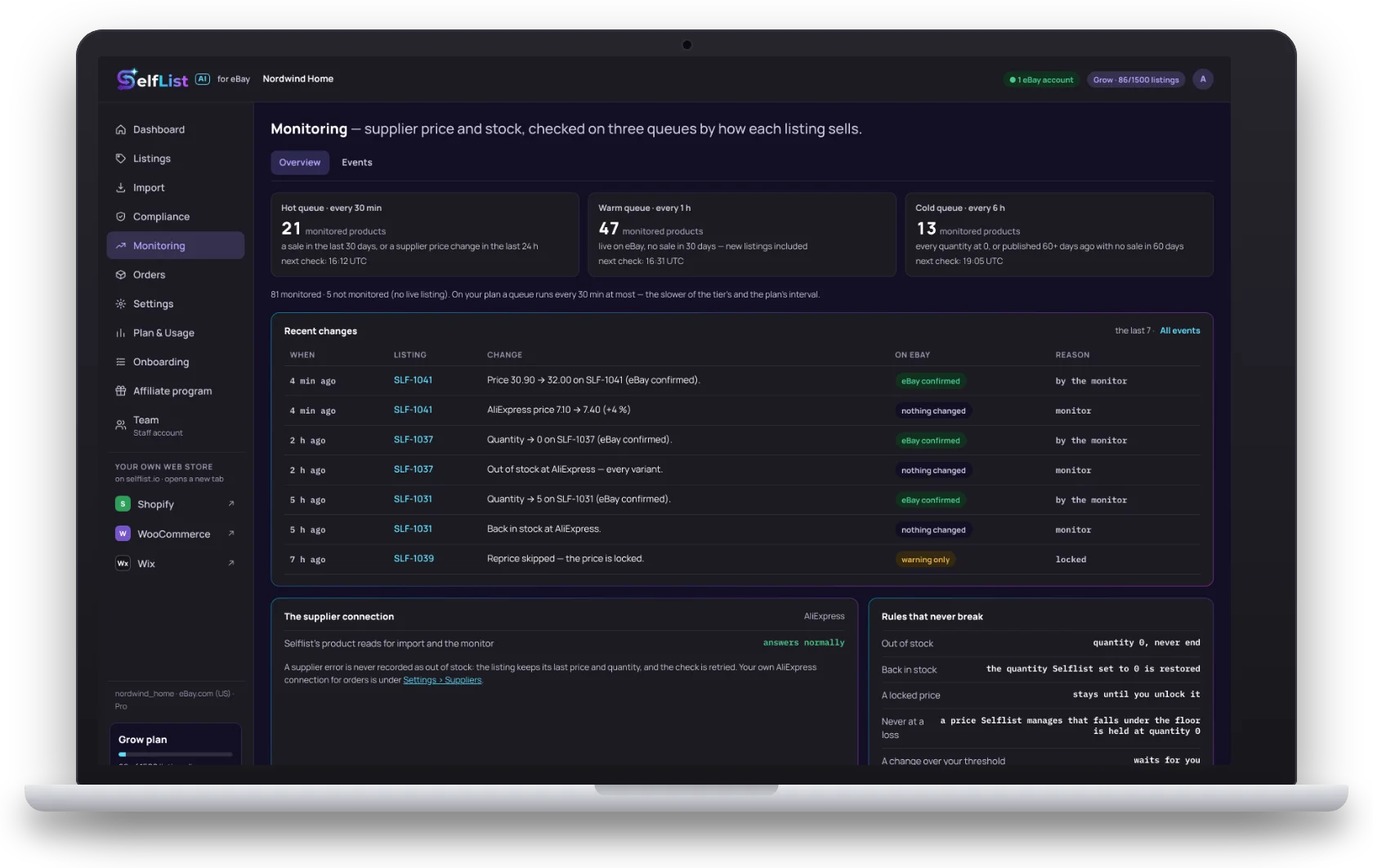
Selflist checks the supplier's price and stock on three queues, by how each listing sells, and never more often than your plan: every 6 h on Free, every 1 h on Start, as often as every 30 min on Grow and Scale.
Out of stock: quantity 0, never an ended listing
Back in stock: the quantity Selflist set to 0 comes back
Never at a loss: under your floor it waits at quantity 0
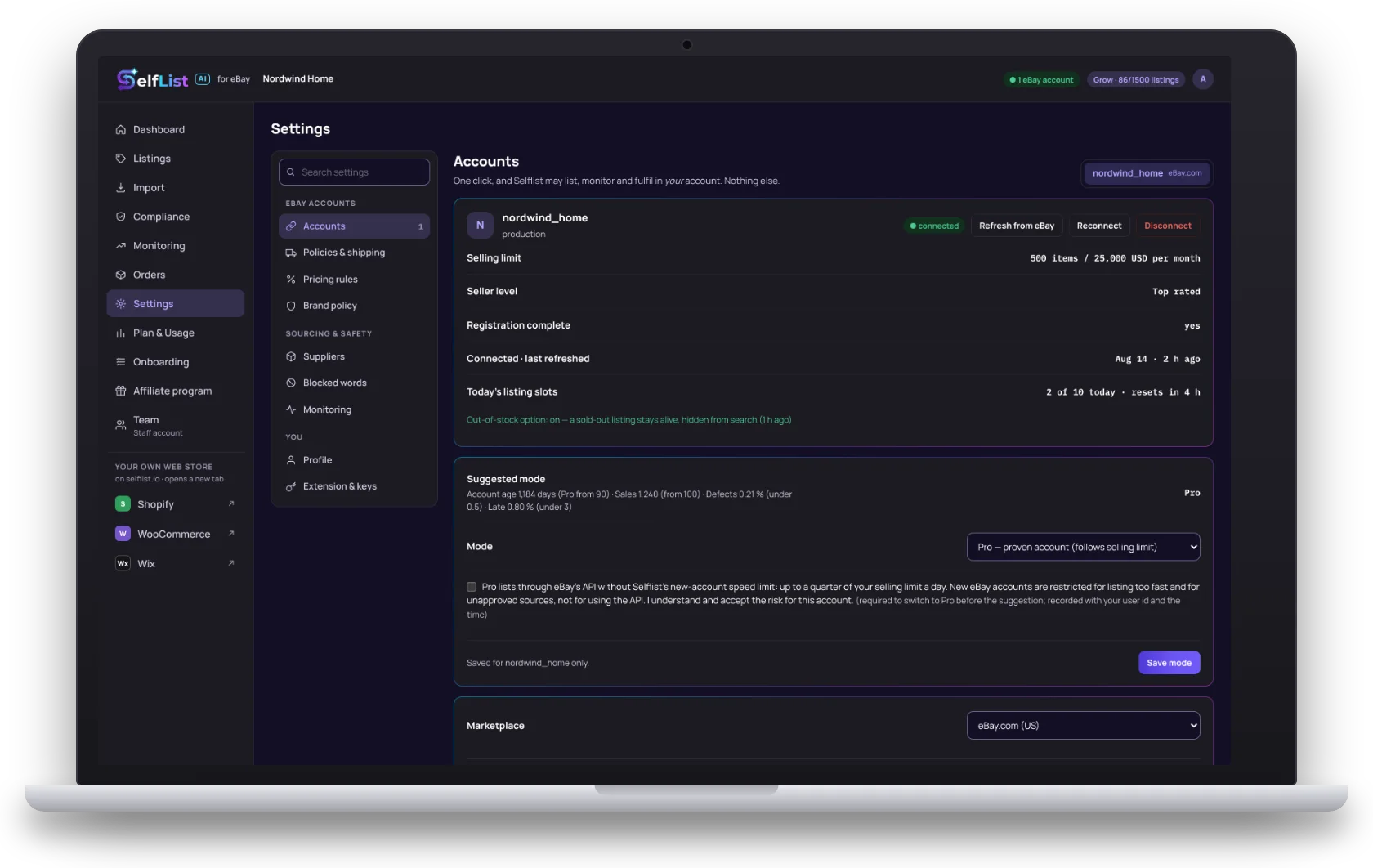
Nine sections, each on its own page: Accounts, Policies & shipping, Pricing rules, Brand policy, Suppliers, Blocked words, Monitoring, Profile, and Extension & keys.
Shipping, return and payment policies per eBay account
Your brand policy and your blocked words
A pricing rule with a floor that never loses money
A bamboo desk lamp, from the supplier's page to the buyer's screen. Press a step to see it.
Example screen with sample data
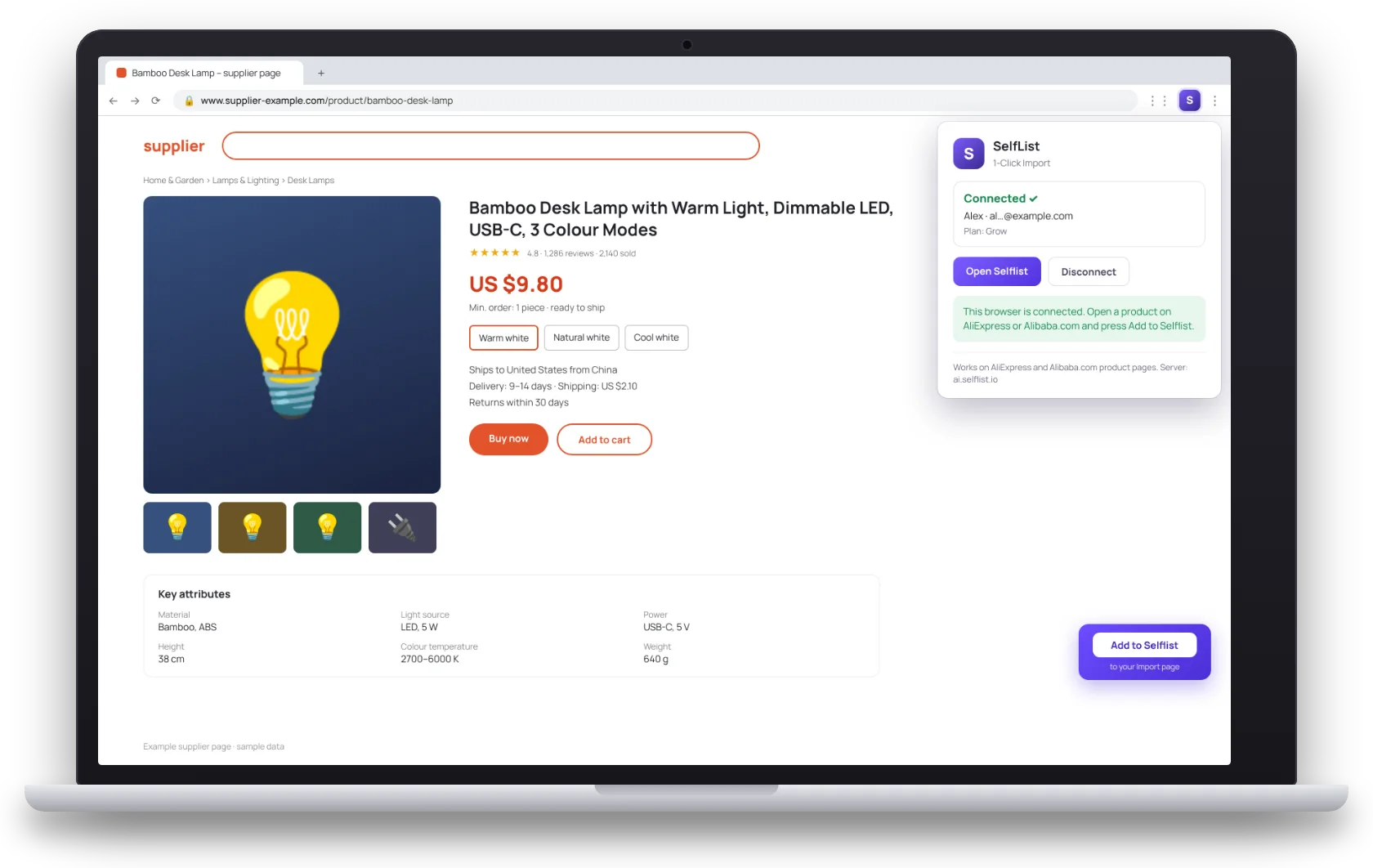
Step 1
Add it from the supplier page
On an AliExpress or Alibaba.com product page, press the button of the free SelfList 1-Click Import extension for Chrome. The pictures, the options and the supplier's facts come along.
Example screen with sample data
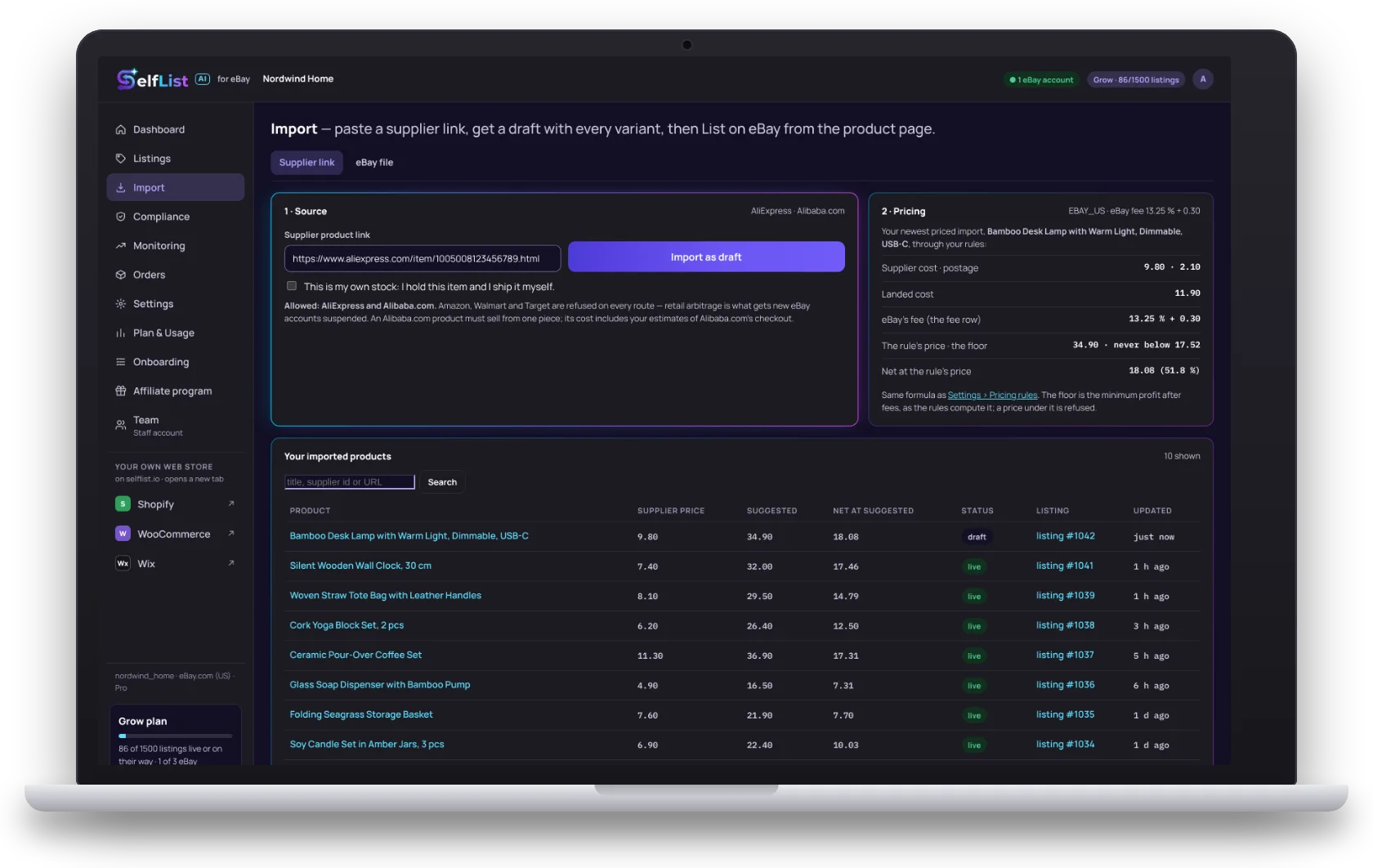
Step 2
It lands on Import
The product arrives as a draft with its cost and its postage. Nothing is on eBay yet, and a draft never counts against your plan.
Example screen with sample data
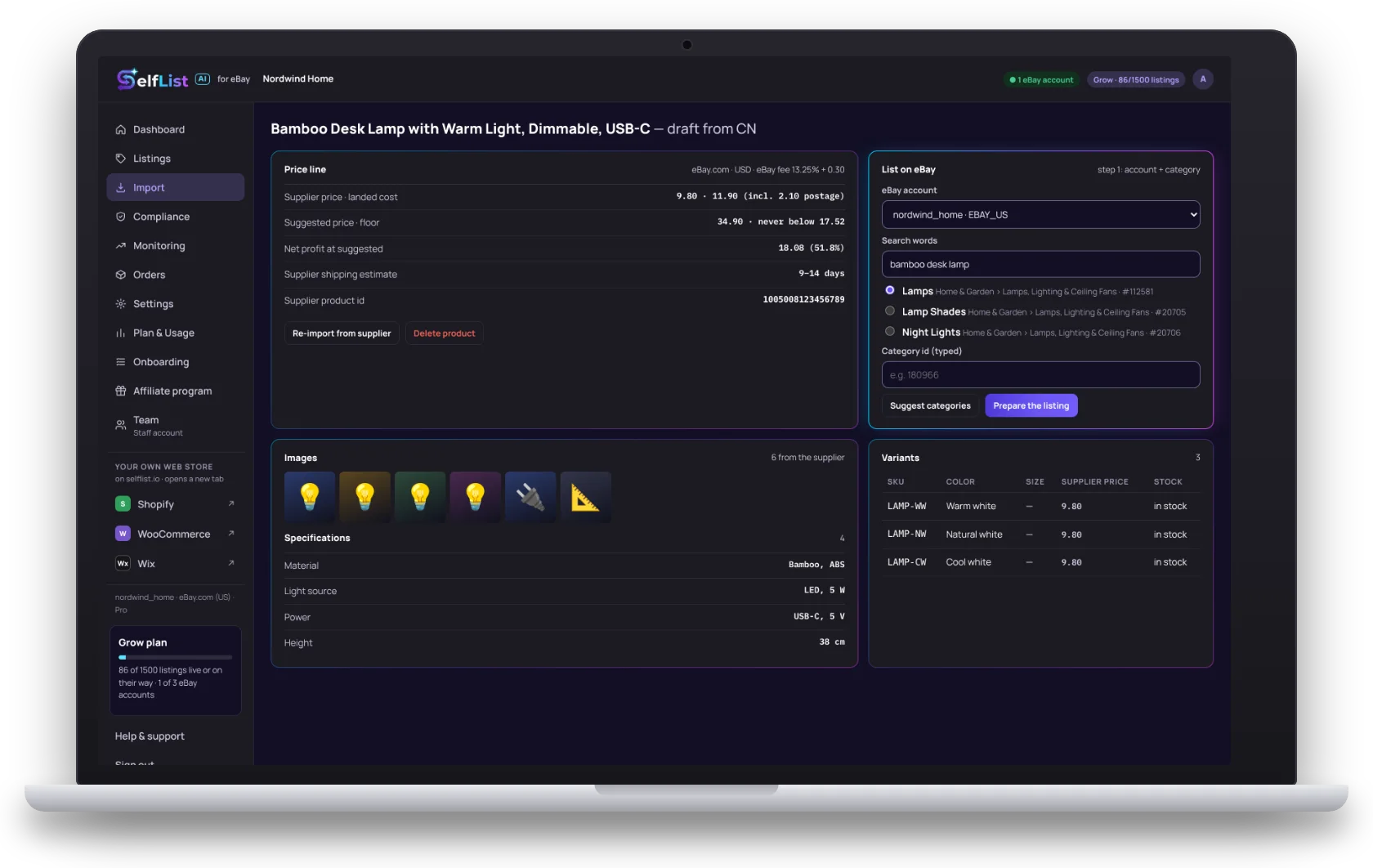
Step 3
Choose the eBay account and category
Pick the eBay account and the category. Selflist suggests categories from eBay's own tree, in the site's own words.
Example screen with sample data
Step 4
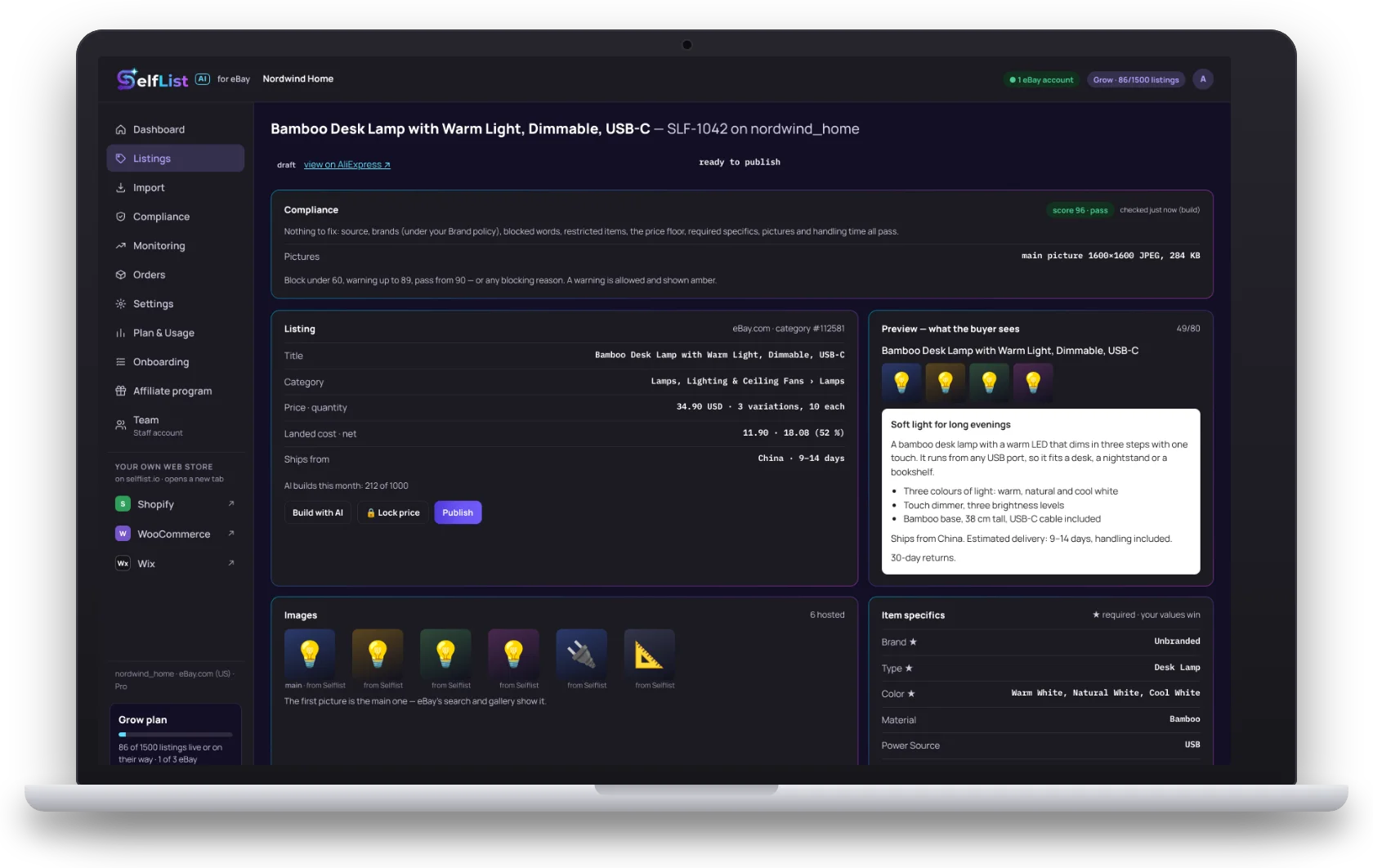
Build with AI and the compliance check
AI writes the title, the item specifics and the description from the supplier's facts. Then the listing gets its score from 0 to 100: VeRO and brands, photos, item specifics, blocked words and a price that would lose money.
Example screen with sample data
Step 5
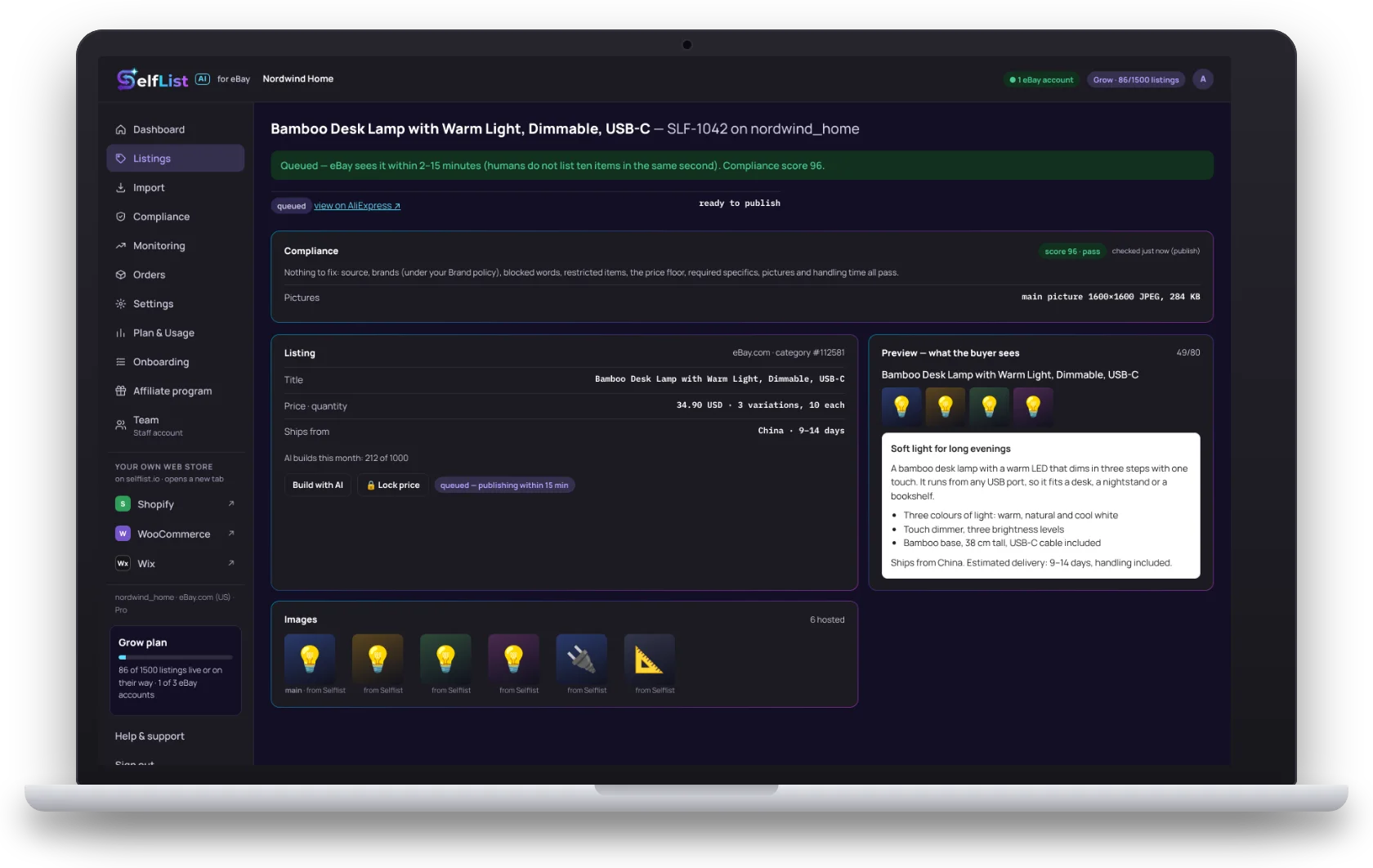
Publish
The listing is queued, and eBay sees it within 2 to 15 minutes: people do not list ten items in the same second. In its first month a new account keeps to 5, then 10, then 20 new listings a day.
Example screen with sample data
Step 6
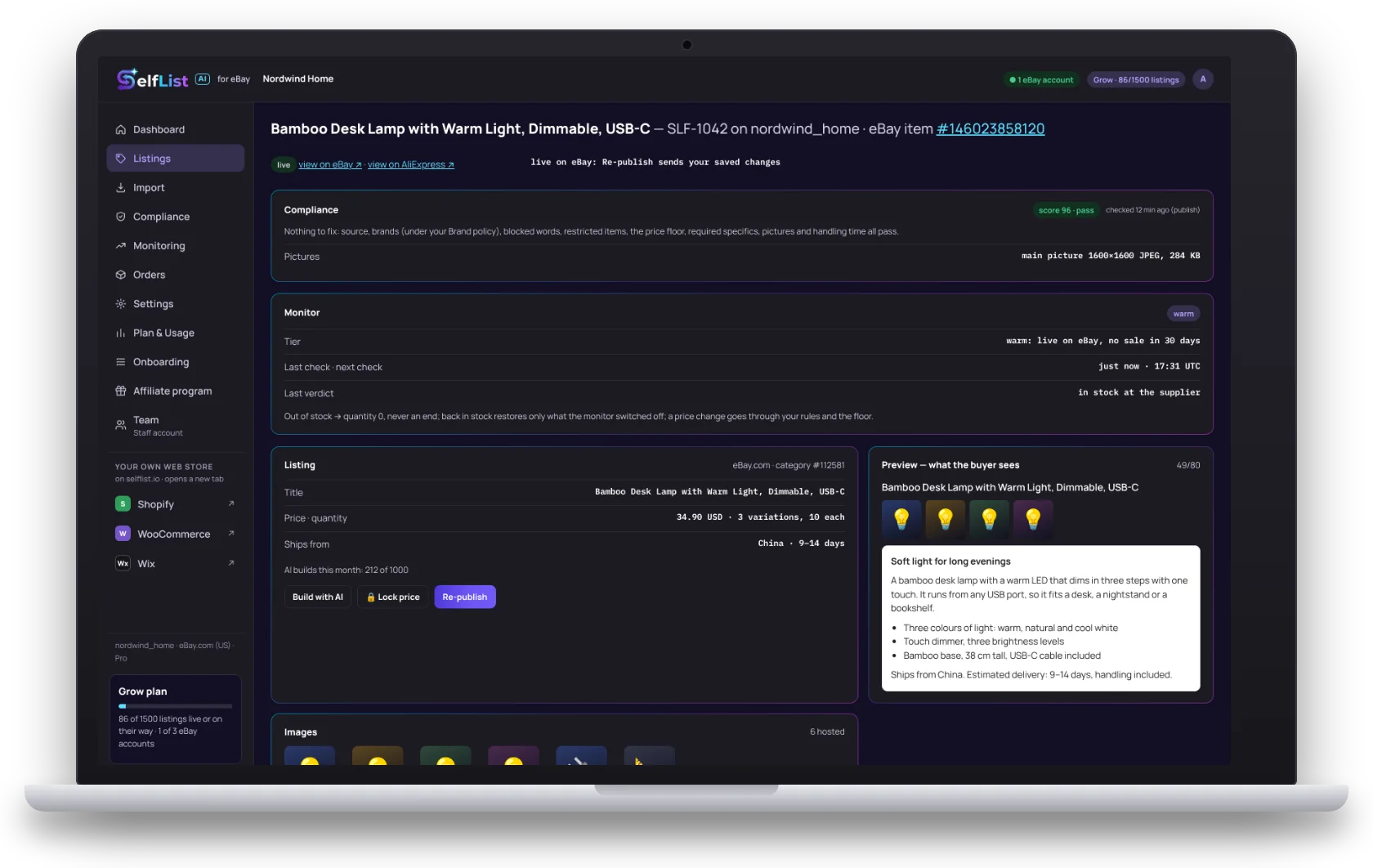
Live on eBay, watched by the monitor
From now on the supplier's price and stock are checked for you. A change over your threshold waits for you, and a locked price stays until you unlock it.
Example screen with sample data, drawn without eBay's own design
Step 7
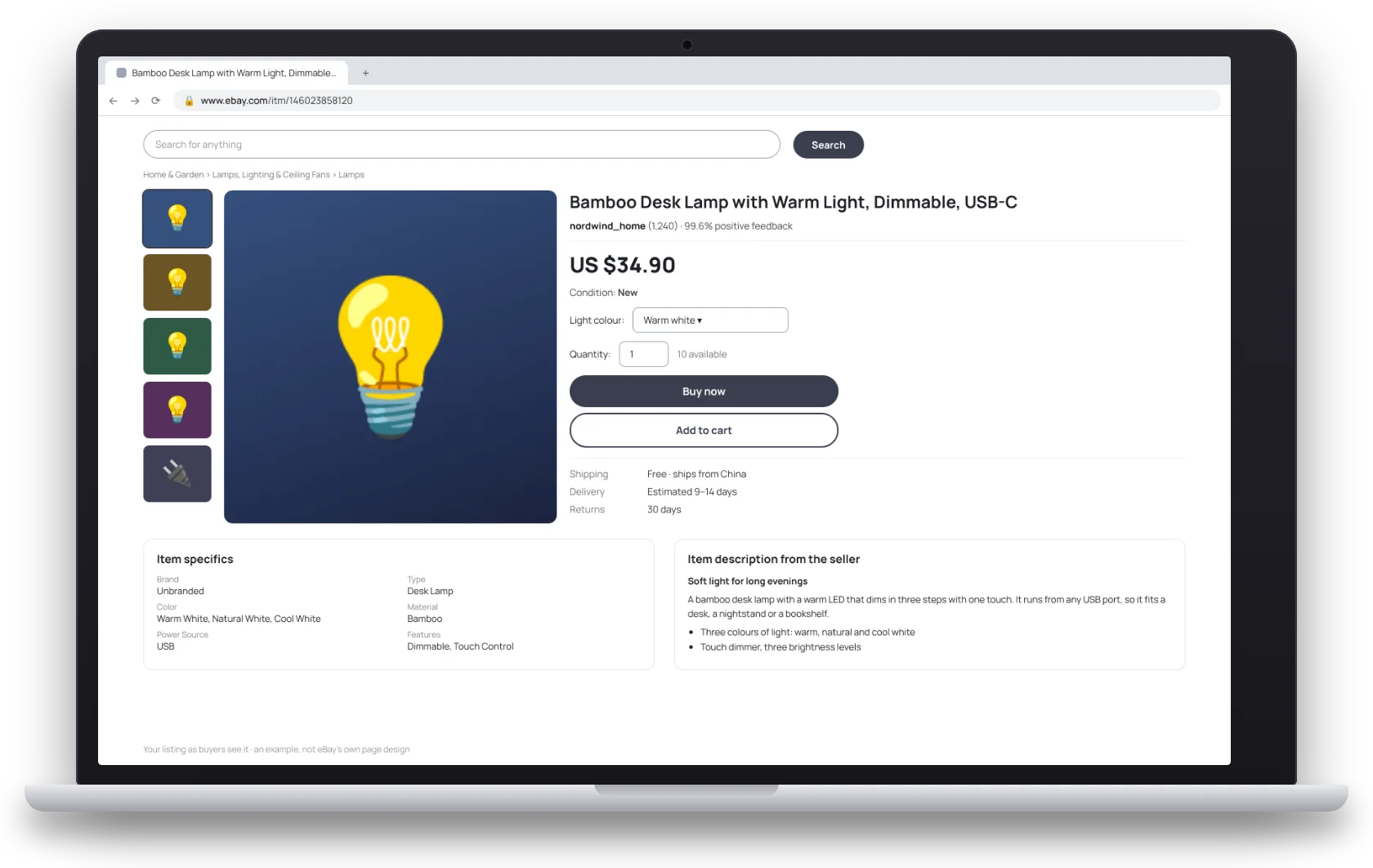
What the buyer sees
Your listing on eBay, with your price, your shipping and return policies, and a delivery time your supplier can meet.
Everything in one place
One console. Every step of selling on eBay.
Each feature below works today. Your plan decides how much of it you use.
Safe Start & Pro
A new eBay account lists slowly on purpose: 5 new listings a day in the first week, 10 in the second, 20 until day 30, then a fifth of your eBay selling limit (at least 20), never past it. Selflist suggests Pro when the account is ready; you decide.
Every plan
Compliance before publish
Every listing gets a score from 0 to 100 before anything reaches eBay. 90 or more passes, 60 to 89 publishes with a warning, under 60 is blocked. Each reason comes with its fix.
Every plan
AI listings
Title, item specifics and description, written from the supplier's facts and never invented. 40 AI builds a month on Free, up to 12,000 on Scale.
Every plan
Monitoring & repricing
Supplier price and stock, checked as often as every 30 minutes. Sold out means quantity 0, never an ended listing. A price under your floor is never sent.
Every plan
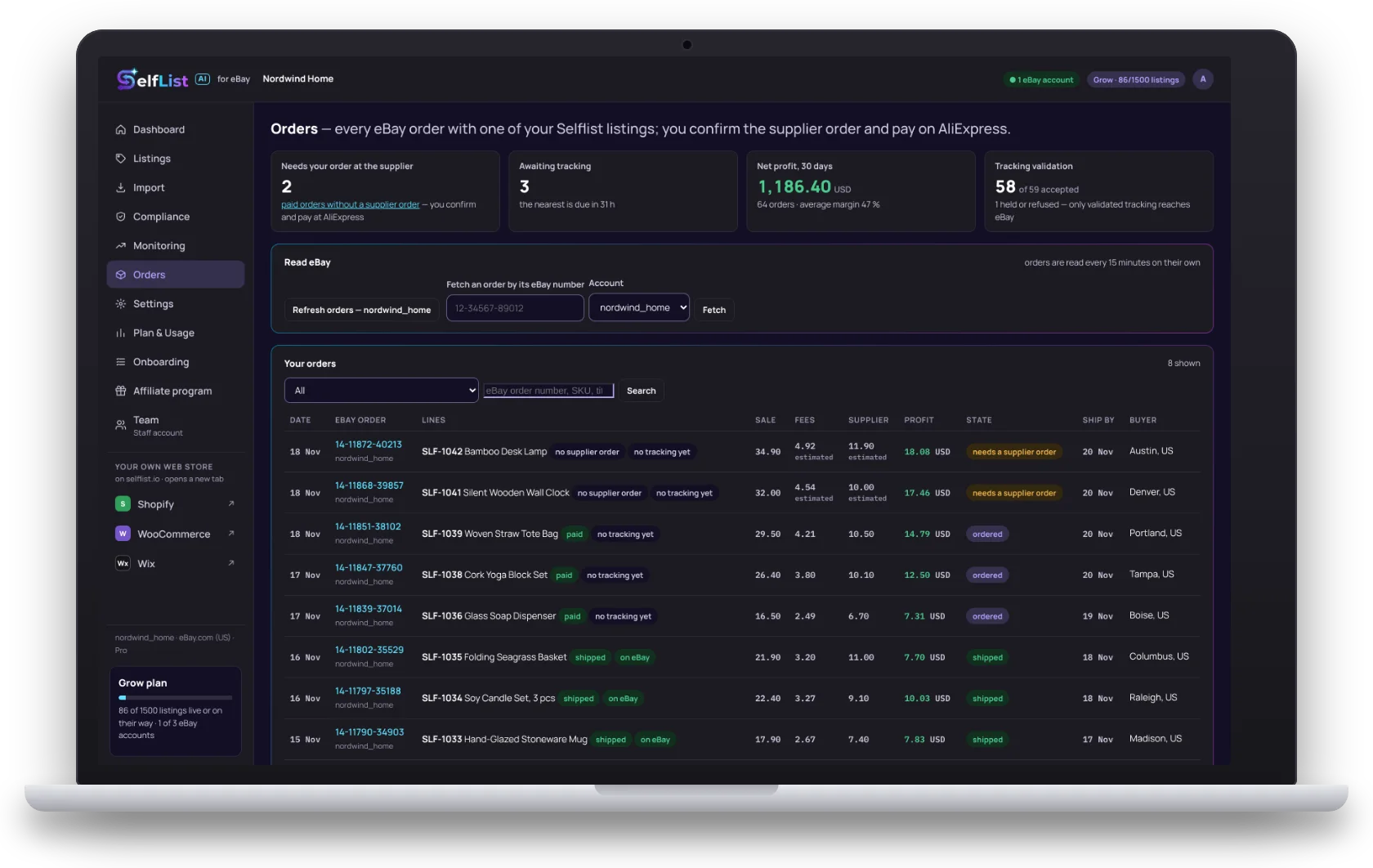
Orders you confirm
You confirm and pay each supplier order yourself. Only a validated tracking number reaches eBay; one that does not validate is held and shown to you.
Every plan
AliExpress and Alibaba.com
Both through your own connection. An Alibaba.com listing is priced at the checkout total for its country: the item, the postage, the fees and the taxes.
Every plan
Own stock
Sell what you keep yourself: your address, your shipping policy, your count. A sale lowers the count once; Selflist never raises it.
Every plan
Six eBay sites
eBay.com, eBay.co.uk, eBay.de, eBay.com.au, eBay.ca and eBay.ch, with categories and item specifics in each site's own words.
Every plan
Staff accounts
Invite your team by e-mail. Staff list, edit and handle orders; billing and the eBay connections stay yours. What they do in the console is logged with their name.
Start and up
How it works
Three steps to your first listing
1
Connect your eBay account
You approve Selflist on eBay's own sign-in page. Your eBay password is never typed here.
eBay.com
eBay.co.uk
eBay.de
eBay.com.au
eBay.ca
eBay.ch
2
Add products
One click with the Chrome extension, a pasted supplier link, or your own stock. The listing is written, priced and checked.
Chrome extension
Pasted link
Own stock
3
Sell, kept safe
Price and stock follow your supplier, you confirm each supplier order, and only a validated tracking number goes to eBay.
Paste the address of a live eBay listing. It is scored by the same rules the app runs before it publishes, the ones that need nothing from your account.
Pricing
Start free. Grow when you sell.
The plans differ by listings (live or on their way), eBay accounts, AI builds, the monitoring interval, staff seats and support.
Every account starts on the Free plan; drafts and variations never count. Try Grow free for 14 days — no card, once per account. It is offered on Plan & Usage after you register; when it ends the account returns to Free and the listings above 20 are frozen, never ended. A 14-day full refund on the first payment of a paid plan. Cancel any time — effective at the end of the period paid. Refund policy. Prices are in USD without tax; VAT or sales tax is added at checkout where it applies. A yearly plan is one payment a year.
Team
Staff accounts
Invite a team member by e-mail. Staff can list, edit and handle orders. They cannot open Plan & Usage or the billing portal, cannot connect or disconnect eBay accounts and cannot create extension tokens. What staff do in the console — an import, a single build, a publish, a price change, a supplier order — is logged with their name; what Selflist finishes afterwards in the background (a bulk build, the upload of a tracking number) is logged without a name.
Earn when sellers you bring pay 30 % for 12 months, then 10 %
Share your link and earn 30 % of what the sellers you bring pay (without tax) for 12 months after their first payment, then 10 % for as long as they pay. The seller you refer gets 20 % off the first month of a monthly plan. A sign-up within 60 days of the click counts; each commission waits 30 days, then it is paid by PayPal once a month when your due total is at least 50 USD. Referring yourself or your staff is not allowed.
Selflist AI is eBay dropshipping software made by REXOH LLC. It imports products from AliExpress and Alibaba.com, writes each listing with AI, gives it a compliance score before anything reaches eBay, and follows the supplier's price and stock. Sellers with their own stock can list it too. The Free plan covers 20 listings on one eBay account.
Selflist AI (dev.selflist.io) is for eBay only. SelfList (selflist.io) is a separate platform for Shopify, WooCommerce and Wix stores, with its own account and plans.
Your first listing is checked before eBay sees it.
Free plan: 20 listings, 1 eBay account, 40 AI builds a month. No card.